anoa is a real browser, driven from a shell, an HTTP endpoint,
any CDP client, or over MCP. One binary, no driver to install, no
headless-versus-real distinction to reason about.
Every command attaches to a browser that is already running and leaves it
running, so the page, the cookies and the scroll position survive between them.
snapshot hands back refs that the next command targets — which is
the part that makes this usable by an agent rather than by a person watching a
screen.
$ anoa --headless --port 9222 &
$ anoa open example.com
$ anoa snapshot -i
@e1 link Documentation
@e3 textbox Search [required]
@e7 button Sign in$ anoa fill @e3 "anoa browser"$ anoa click @e7
$ anoa wait --selector ".results"
$ anoa get text
Clicks are hit-tested
A button underneath a consent banner is reported, not clicked through. You
find out that the click did not land, instead of finding out later.
Tabs with names
anoa tab new example.com --name research. Every command takes
--tab, so parallel work stays in its own tab, addressed by a name
you chose.
Profiles that remember
Logins survive between runs by default. Named profiles get their own cookie
jar and storage; --ephemeral keeps nothing.
An agent can read the manual
anoa skills get core prints the workflow as text meant to be
pasted into a context window, not into a browser.
Live view
Watch it work — and hand the controls over
/render is a page. Open it in any browser and you get the live
stream of a tab you can click, drag, type and scroll in, with a
tab bar, a URL bar and an Inspect button. No client to install, nothing to build.
The live view at /render, streaming one tab while the
others stay live in the background.
anoa terminal
A web page, in the terminal you are already in
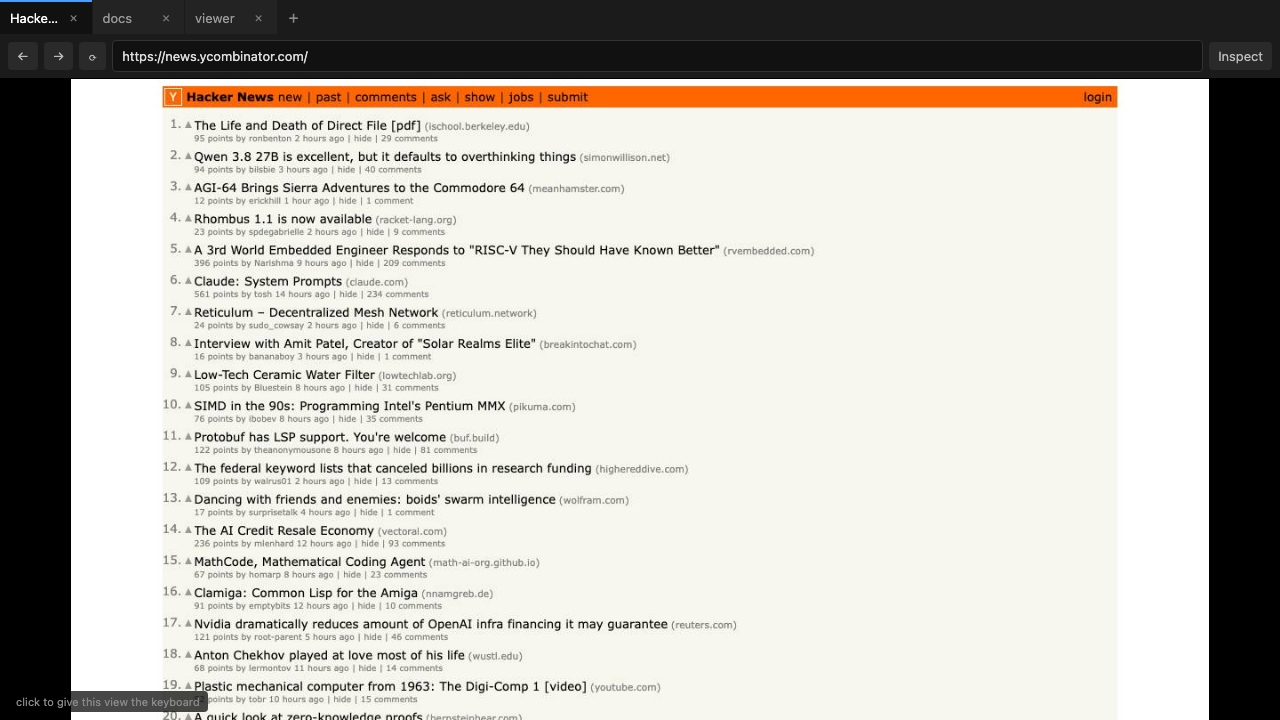
Over SSH, on a box with no display: anoa terminal renders the live
page as half-block ANSI, or as real images in iTerm2 and kitty, and forwards your
clicks, scrolls and typing back to it. Point it at a running browser, at any
external Chrome with --cdp, or at nothing at all and it hosts its own.
Hacker News, in a terminal. This is the iTerm2 image backend —
[iterm] in the status bar — so the page is rendered, not
approximated. On a terminal without an image protocol the same view falls
back to half-block ANSI, which is coarser but works over any SSH session.
The bar along the bottom names what it is attached to, the viewport size,
and the last thing you did.
# watch and control a browser running anywhere$ anoa terminal --term-host 10.0.0.4 --term-port 9222
# or attach to any Chrome you already started$ anoa terminal --cdp http://127.0.0.1:9222
# or just this, and it brings its own browser$ anoa terminal
Inspect
Real DevTools, on the page being streamed
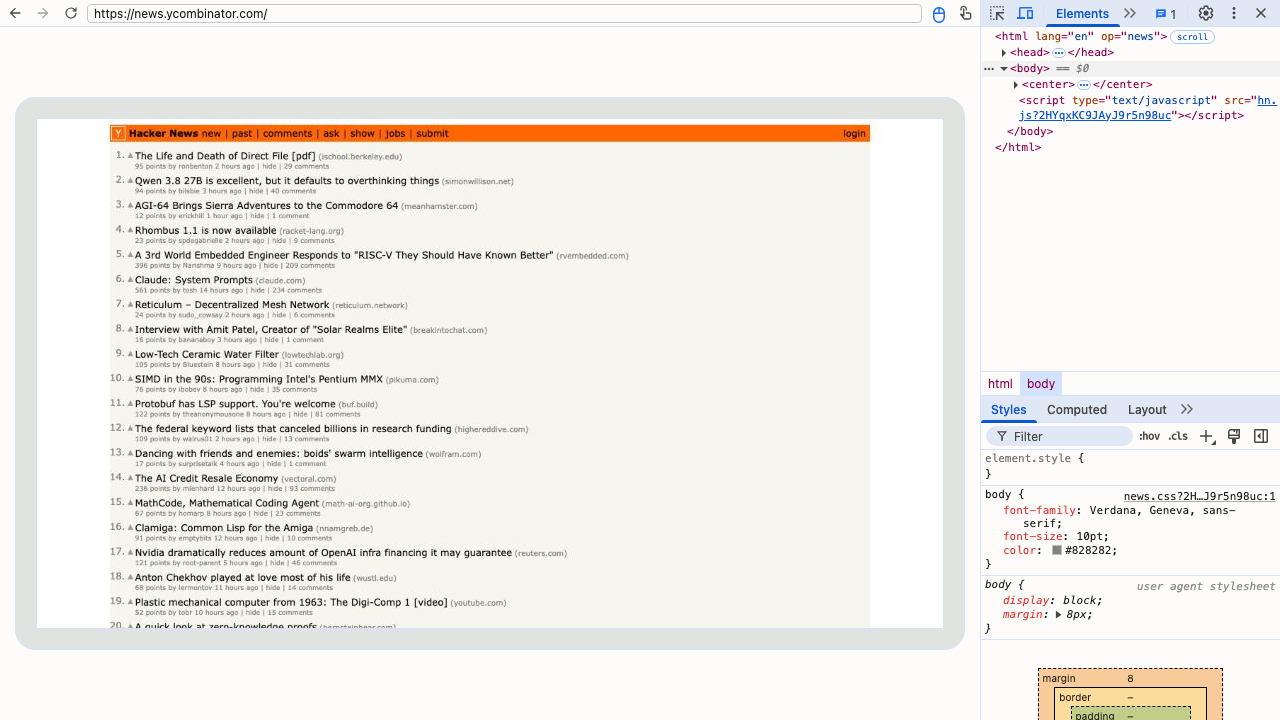
The Inspect button opens Chromium's own DevTools against the tab you are
watching — Elements, Styles, Network, the console. Nothing is reimplemented:
the frontend is the one Chromium ships, talking over the CDP endpoint anoa
already exposes.
DevTools attached to the streamed tab, opened from the viewer.
Compatible
It speaks CDP, so your existing tools already work
Chrome-compatible discovery endpoints and a WebSocket proxy with session
multiplexing. Playwright and Puppeteer connect to it unmodified. Optional
bearer-token auth, and no Origin rejections, so it works behind tunnels and
reverse proxies.
Ports come in a triplet. You point a client at 9222, which serves
discovery and /render/*; 9223 is Chromium's own debugging
port, kept internal; and the WebSocket the client is handed lands on
9224, the proxy that multiplexes sessions and checks the token.
Model Context Protocol
And a door for a client with no shell at all
The CLI wants a shell, and CDP wants a CDP client. POST /mcp wants
neither: it speaks the Model Context Protocol on the same port, so an agent picks
from a typed list of tools instead of remembering a command line.
// the client's config — nothing else to install
{ "mcpServers": { "anoa": { "url": "http://localhost:9222/mcp" } } }
Every command on this page is a tool, named browser_*, each with a
JSON Schema. It is the same browser — a tab opened from a shell is visible
to a tool call, and a ref from a snapshot resolves either way.
A tool that fails comes back as a result with isError and the
command's own message, not as a protocol error: a model has to read a failure to
act on it.
Install
One binary, and no runtime to install alongside it
The terminal viewer is a subcommand of the same executable, not a second
file. Pick your platform.
One universal build for Intel and Apple Silicon, Developer ID
signed and notarized — it opens with no Gatekeeper warnings.
# x86_64 or aarch64 — one file, no unpacking, no root$ chmod +x anoa-x86_64.AppImage
$ ./anoa-x86_64.AppImage --headless --port 9222
$ ./anoa-x86_64.AppImage open example.com
Built for x86_64 and aarch64 against the same Qt, so both run on
anything with glibc 2.35 or newer — Ubuntu 22.04, Debian 12 and later, which is
what an ARM board usually runs. It carries its own FUSE, so it does not need
libfuse2. Download the latest release →
Installs the portable bundle under ~/.local/lib/anoa
and puts the launcher on your PATH. Nothing system-wide, no root, and
re-running it upgrades in place.

![Hacker News rendered inside a terminal window by anoa terminal, with a status bar reading: anoa terminal http 127.0.0.1:9222 1280x720 [iterm] ctrl-c=quit, scroll up](images/anoa-terminal.png)